Terminal Renderer
A browser-based tool for generating styled terminal window screenshots from raw session text, built for college course presentations
The Problem
When you're a networking and sysadmin student doing a lot of presentations, you end up pasting a lot of terminal output into PowerPoints. Raw text from a terminal looks terrible in slides. Copy-pasting into a code block gets you halfway there, but it still looks inconsistent and kind of ugly depending on the font, background, and whatever theme the slide deck is using.
I wanted a way to take real terminal output and turn it into something that looked clean and consistent every time, without spending ten minutes messing with formatting for each slide.
What It Does
Terminal Renderer is a browser-based tool. Paste your terminal session in, configure a title and shell type, and it generates a styled terminal window you can export as a PNG or standalone HTML file.
It supports Bash and PowerShell window styles, and has a simple <HL>...</HL> tag syntax for highlighting specific output inline, which is useful for drawing attention to a particular line in a command's output.
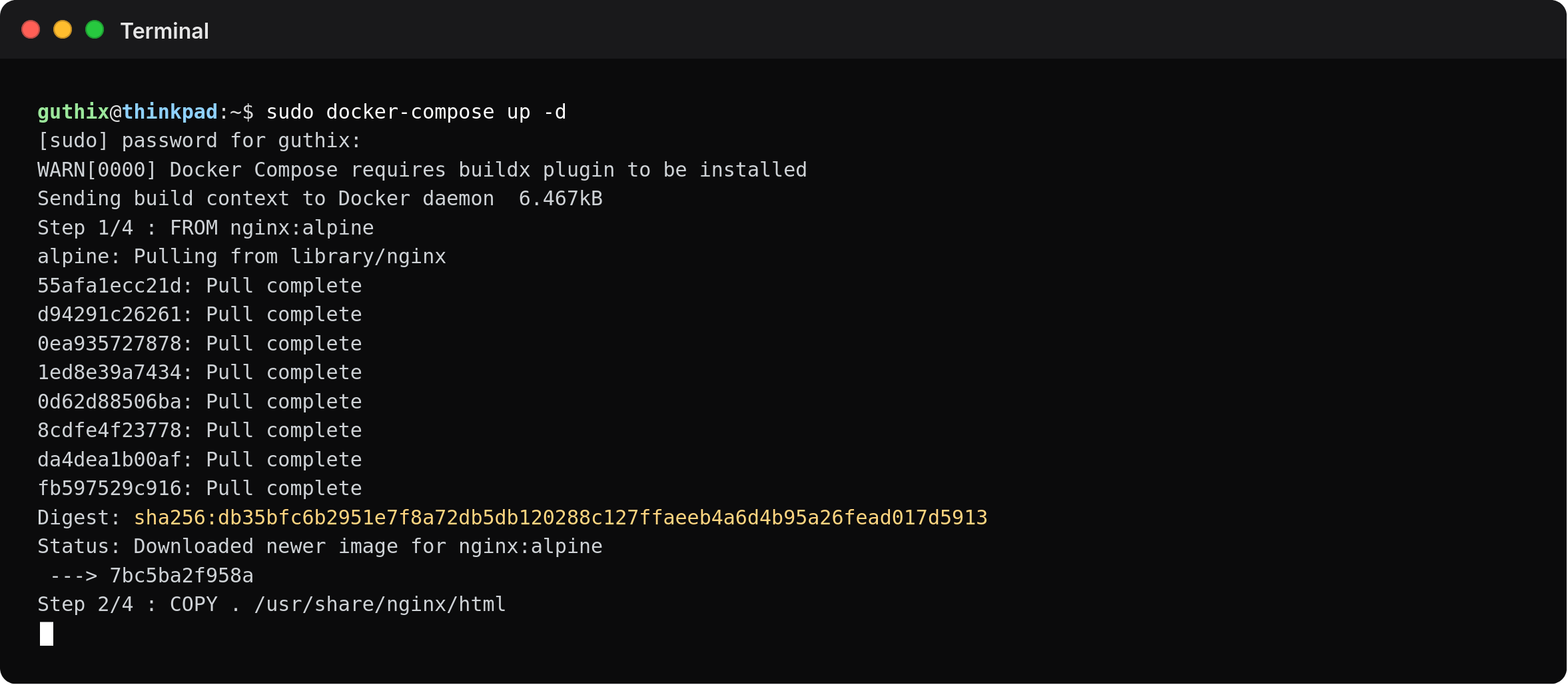
The tool runs directly from index.html with no build step needed. PNG export requires a local server due to browser security restrictions, but there's a Docker option for that:
docker compose up
# → http://localhost:8080
Why I Built It
Primarily for use in my networking and sysadmin coursework, where I was constantly including terminal screenshots in presentations and documentation. Having a consistent look across all of them made the content a lot more professional without any extra effort per slide. The style intends to mimick some combination of the MacOS terminal and my personal Alacritty/Hyprland config and theme.
It's also useful for any kind of CS content creation where you want aesthetically clean terminal output, blog posts, documentation, tutorials, etc.
The Code
Code is on GitHub at https://github.com/jackinthebox52/terminal-renderer.